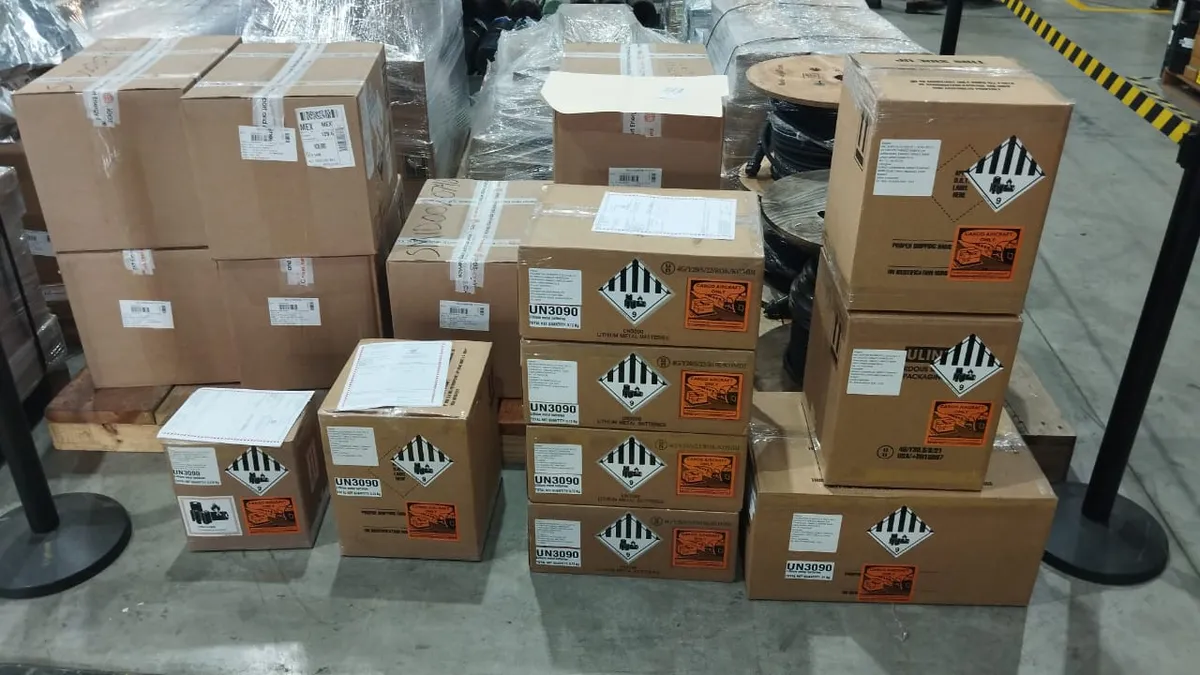
DG PRE-CHECK · VERIFY BEFORE YOU SHIP

Catch the errorsbefore the airline does.

AI-assisted checks plus review by certified dangerous goods experts. Send your DGD and photos of the finished package and get a technical PDF report before your cargo reaches the airline.

A rejected shipment costs time, flight space and money. Pre-Check finds the problems while they are still easy to fix.

Start your Pre-Check
✓
AI-assisted analysis
✓
Certified DG experts
✓
Air freight only
✓
Technical PDF report

Requirements

Air transport only. To submit your request you need:

  • Your DGD, fully completed (PDF).
  • Four photos of the finished package, already marked and labeled: front, right, back and left (the front is the side with the proper shipping name and hazard label). Take each one from about 1 meter away, with all marks and labels complete, in focus and legible. Name the files accordingly (e.g. 1-front.jpg, 2-right.jpg, 3-back.jpg, 4-left.jpg).

If your shipment isn't ready yet, or you need help from scratch (classification, packaging, documentation), the right service is the DG Shipment Review.

01

Step 1 — Payment

Hours: Mon–Fri 9:00–17:00 (Mexico City time) · Limits: 1 DGD, up to 5 packages and 5 entries

After completing payment, return to this page to submit your documents. You will need your PayPal transaction ID.

Before paying, review the DG Pre-Check Terms of Service.

02

Step 2 — Submit Your Request

Fill in this form after completing your payment.

Contact Information

Please select your billing country in Step 1 before submitting.

Route and Airline

Declared route and airline are used to verify IATA DGR State and Operator Variations that apply to your specific shipment.

DG Entries

Total packages: 1 of 5
UN Number *Packages *PSN (optional)
03

PayPal Transaction ID

10–25 uppercase alphanumeric characters

04

Documents & Photos

DGD fully completed (PDF). At least 4 photos of the finished package (front, right, back and left; JPEG or PNG), taken from about 1 meter, with complete, legible marks and labels. Optional: safety data sheets, SDS (PDF).

Click to browse or drag files here

PDF, JPEG, PNG — max 20 MB per file

Photos: 0 of 4 minimumFiles: 0 of 5–30
05

Additional Comments

0/1000

This is a preventive review: it does not constitute official acceptance by the airline or replace its inspection.

Complete the security check to enable submission.

How It Works

1Pay with PayPal
2Upload DGD and photos
3We verify and review
4PDF report to your email

Frequently Asked Questions

How does the review work?
Your DGD and package photos go through AI-assisted checks and are verified by a certified dangerous goods expert, who sends you a technical PDF report.
How should I photograph the package?
Photograph the package once it is closed, marked and labeled. Take four photos, one of each side: front, right, back and left. The front is the side showing the proper shipping name and the hazard label. Shoot from about 1 meter away with good lighting and no glare: every mark and label must be complete, in focus and legible at full size. If there are marks or labels on the top, add a fifth photo (5-top.jpg). If your shipment has different package types, send four photos of each type. Name the files with the side (for example 1-front.jpg) so we can review them faster.
Why do you ask for the origin, destination and airline?
The IATA DGR includes State Variations (rules specific to countries) and Operator Variations (rules specific to airlines). The route and airline determine which of these apply, so the review is specific to your shipment and not generic. If the airline is not yet defined, the review applies the most restrictive variations available.
What file formats are accepted?
The DGD and SDS must be PDF. Photos must be JPEG or PNG: minimum 4, taken from about 1 meter with all marks and labels visible, in focus and legible. Maximum 20 MB per file.
What if I need a refund?
If you have already paid and have not yet submitted your documents, you may request a refund by email to ggm@globalgatemexico.com with your folio and PayPal transaction ID; GGM will verify the payment and process the refund. Once documents are submitted, no refund is issued. If the review requires more time or information, GGM will quote the service independently and credit the amount already paid, so only the difference is charged. If you do not accept the quote, GGM will refund the amount paid.
Can I get an invoice?
Yes. Our accounting team will contact you regarding your invoice.